
HTTP 200 verified twice
Finding your next stop…
Loading the latest directory information.
Loading the latest directory information.
Start here for the decision-making essentials: what Adobe Podcast does, who it is for, how it is accessed, and the first-party sources behind this profile.
See official pricing
Adobe Podcast is Adobe's cloud-based AI audio and video production platform for podcasters and content creators, offering web-based recording, multi-track editing, transcription, and AI-powered noise reduction via features like Enhance Speech.
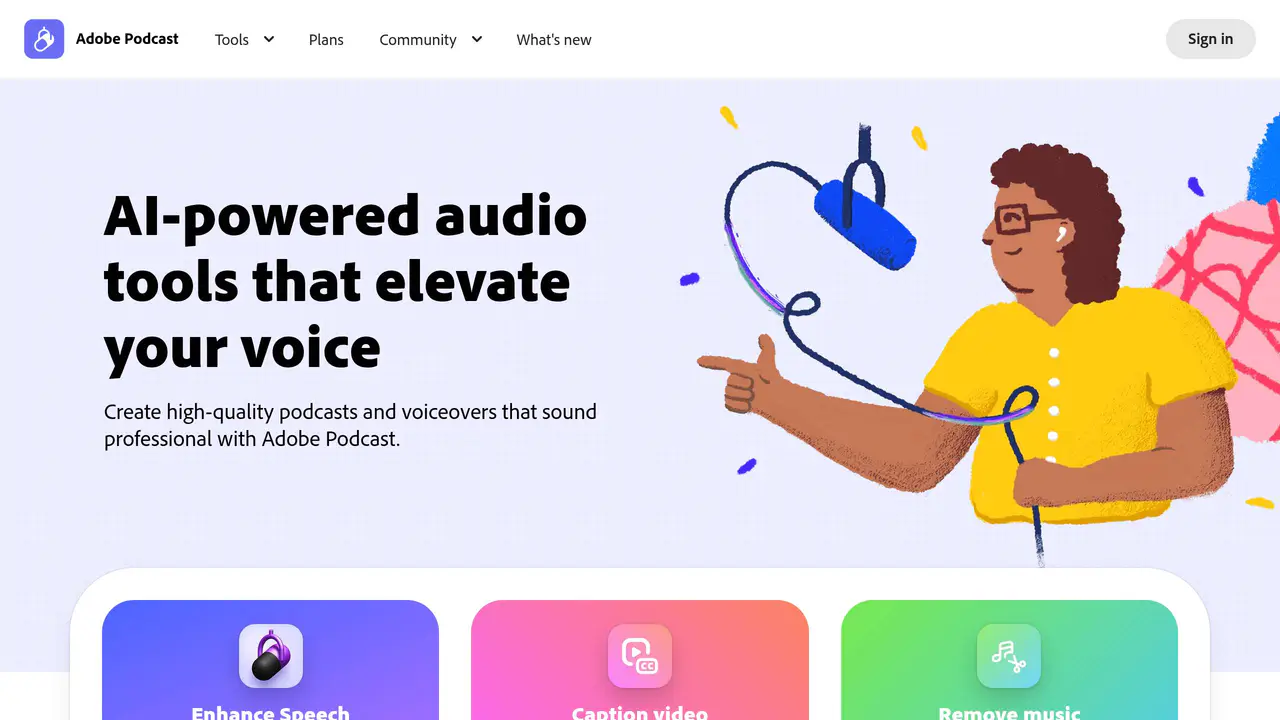
Read-only public captures of Adobe Podcast’s homepage. Screenshots are dated, never live embeds, and open full-screen.
Short answers to the questions buyers and builders commonly ask about Adobe Podcast. Each answer cites the shared ledger below, where every source is listed once.
Record, transcribe, edit, and share audio · Remove background noise and echo from recordings · Add captions for social media · High-quality multi-track audio and video recording
Record, transcribe, edit, share.
Producing podcasts, class lectures, and audio newsletters · Record, transcribe, edit and share podcasts · Recording a podcast with multiple participants remotely
Try Adobe Podcast Studio with a true crime podcast, class lecture, or audio newsletter.
Remote recording is desktop-only and restricted to the Google Chrome browser
Remote recording is desktop-only and is only supported in the Google Chrome browser.
Adobe Podcast Premium includes Adobe Express Premium · Multitrack Zoom recordings (.m4a, .wav, .mp3) can be imported into Studio · Multitrack Restream split-track recordings can be imported into Studio
Adobe Podcast Premium includes Adobe Express Premium
Adobe Podcast Affiliate Program available in select countries
Available in select countries.
Content creators, bloggers, influencers, marketers, and podcasters
The Adobe Podcast Affiliate Program is open to content creators, bloggers, influencers, and marketers who want to help others discover Adobe Podcast.
This profile connects the jobs Adobe Podcast is described as handling with its delivery model, access options and the subjects used to match it to related products in this directory.
Each fact points to a recorded source, making it easy to distinguish verified product information from claims that need checking.
HTTP 200 verified twice
Adobe Podcast | AI audio recording and editing, all on the web
Web-based AI audio recording and editing application by Adobe · Records, transcribes, edits, and shares audio · Removes background noise and echo via Enhance Speech
Record, transcribe, edit, and share audio
Remove background noise and echo from recordings
Add captions for social media
Web-based AI audio recording and editing application
Producing podcasts, class lectures, and audio newsletters
High-quality multi-track audio and video recording
Advanced noise reduction via Enhance Speech
Multi-language transcription
Remote recording supported only on Google Chrome desktop
A concise view of the jobs, capabilities and integrations described in the recorded product sources.
Documented product formats, platforms and official distribution destinations. Availability can vary by region and plan.
A concise history of software releases and material product changes. Events appear only when a dated source supports what changed.
This profile is being checked for dated releases and material product changes. Nothing appears here until the exact date and event can be verified from a recorded source.
Facts, answers, structured details, milestones and primary resource links cite this shared ledger. Each external page appears once; release tags from the same GitHub project are grouped under one release history.
These tools share a workflow, capability or audience with Adobe Podcast. They may complement it rather than replace it, and are not presented as integrations or endorsements.
Up to 5 guests recommended per remote recording session
Adobe Podcast Premium includes Adobe Express Premium
Adobe Podcast Affiliate Program available in select countries
Adobe
Record, transcribe, edit and share podcasts
Recording a podcast with multiple participants remotely
Web-based studio accessed via browser at podcast.adobe.com/studio
Studio remote recording of audio and video conversations
Edit audio and video like a text document
Enhance Speech reduces background noise and balances voices
Google Chrome (desktop only) for Studio remote recording
Remote recording is desktop-only and restricted to the Google Chrome browser
Multitrack Zoom recordings (.m4a, .wav, .mp3) can be imported into Studio
Multitrack Restream split-track recordings can be imported into Studio
AI audio recording and editing on the web · Transcription and text-based editing · Multi-language transcription
AI audio recording and editing on the web, including transcription, multi-track recording, text-based editing, and Enhance Speech noise reduction
Remove background noise and echo from audio
Add captions for social media and download transcripts as text or PDF
Multi-track audio and video recording with remote guests
Multi-language transcription and text-based editing
Web-based; remote recording is only supported on Google Chrome desktop
Cloud/web application (no installation mentioned)
Adobe (Copyright © 2026 Adobe)
Adobe Podcast Affiliate Program offering commissions for Adobe Podcast Premium referrals, available in select countries
Content creators, bloggers, influencers, marketers, and podcasters
Recommended maximum of 5 guests in a single remote recording session for smooth experience (no hard limit stated)
Record, transcribe, edit, and share high-quality audio and video
Advanced source separation that independently controls speech, background noise, and music layers