
Subscriptionper month
$4.99/month
- every feature across platforms including all brush and object packs with 7-day free trial
Loading the latest directory information.
Start here for the decision-making essentials: what Concepts does, who it is for, how it is accessed, and the first-party sources behind this profile.
$4.99/month
Concepts is an advanced, natural design tool for sketching, design, and illustration on an infinite editable vector canvas across iOS, Windows, Android, and ChromeOS. It offers a free tier plus subscription plans and supports flexible deployment for individuals, schools, and enterprises.
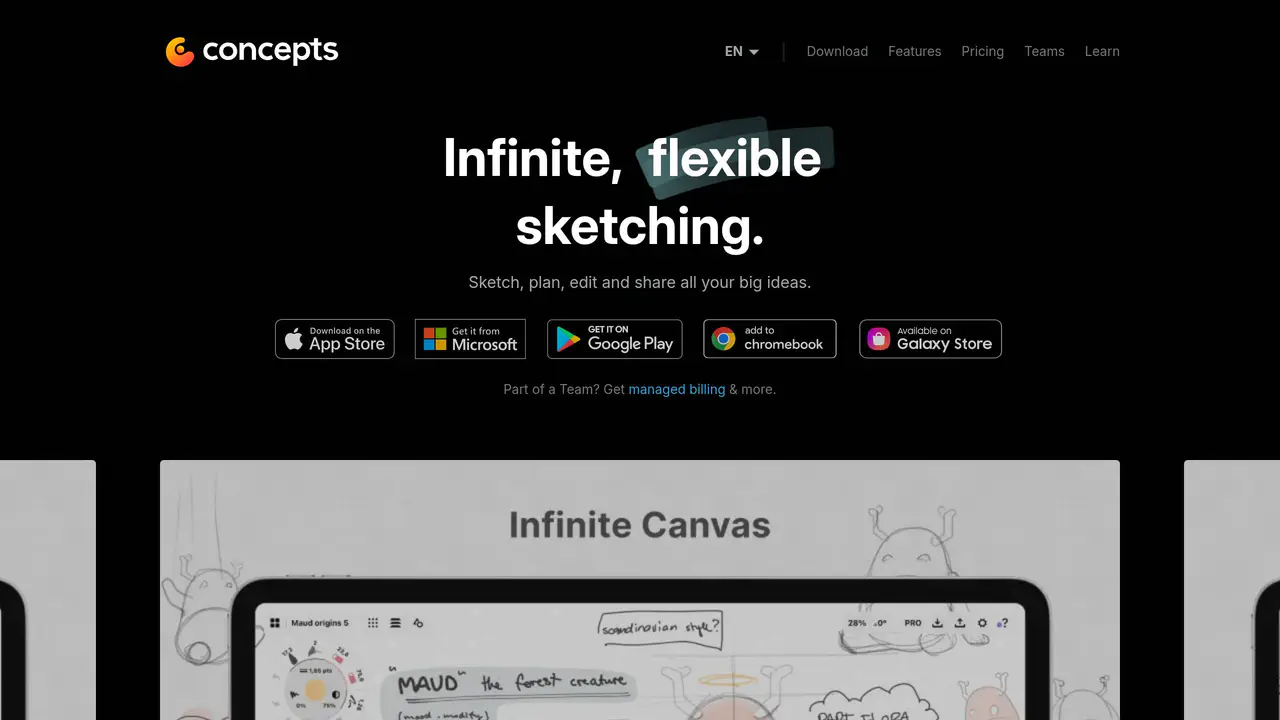
Read-only public captures of Concepts’s homepage. Screenshots are dated, never live embeds, and open full-screen.
Short answers to the questions buyers and builders commonly ask about Concepts. Each answer cites the shared ledger below, where every source is listed once.
Infinite canvas with editable vector strokes for sketching, design and iteration · Advanced, natural design tool for the mobile professional that lets users sketch, design, · Next-generation power tool for sketching, design, and illustrating from anywhere.
Every beautiful stroke on the infinite canvas is an editable vector, which makes copying, tweaking, and sharing fast and fluid.
Write notes on the infinite canvas, make mind-maps and mood boards, sketch plans, designs · Productive meeting workflow: sketch ideas during meetings, display them on a big screen in
Write notes on the infinite canvas, make mind-maps and mood boards, sketch plans, designs and illustrations.
Platform parity between iOS, Windows, Android & ChromeOS is in progress; some features iOS
Platform parity between iOS, Windows, Android & ChromeOS is in progress with updates measured in weeks.
Infinite Sketchbook | Free | Hand-crafted vector-hybrid brushes + tools, COPIC / HSL / RGB · Infinite Flexibility | $4.99/month | Over 200 libraries, services and features in Concepts · Concepts Pro | $10/month | Regular updates, priority support, self-service billing, re-ass
Infinite Sketchbook An assortment of hand-crafted vector-hybrid brushes + tools, COPIC / HSL / RGB color wheels, five layers, our infinite canvas, unlimited drawings, all of our paper + grid types, and basic JPG exports.
Deploy to users via direct download, BYOD, or managed distribution (e.g. MDM) through app
Deploy to users via direct download, BYOD, or managed distribution (e.g MDM) through the various app stores.
In-app direct chat support via the in-app Help menu (Help -> Ask Us Anything), plus online
tap Help -> Ask Us Anything in the app
This profile connects the jobs Concepts is described as handling with its delivery model, access options and the subjects used to match it to related products in this directory.
Each fact points to a recorded source, making it easy to distinguish verified product information from claims that need checking.
HTTP 200 verified twice
Concepts App • Infinite, Flexible Sketching
Infinite canvas with editable vector strokes for sketching, design, and iteration · Write notes on the infinite canvas, make mind-maps and mood boards, sketch plans, designs · Available on iOS, Windows, Android, and ChromeOS
Infinite canvas with editable vector strokes for sketching, design and iteration
Write notes on the infinite canvas, make mind-maps and mood boards, sketch plans, designs and illustrations
iOS, Windows, Android, ChromeOS
Advanced, natural design tool for the mobile professional
Infinite Sketchbook | Free | Hand-crafted vector-hybrid brushes + tools, COPIC / HSL / RGB color wheels, five layers, infinite canvas, unlimited drawings, paper + grid types, basic JPG exports
Infinite Flexibility | $4.99/month | Over 200 libraries, services and features in Concepts across iOS, Android, ChromeOS, and Windows
Concepts Pro | $10/month | Regular updates, priority support, self-service billing, re-assignable licenses, support for multiple admins (per license)
Available in App Store, Play Store, and Microsoft Store
Deploy to users via direct download, BYOD, or managed distribution (e.g. MDM) through app stores
A concise view of the jobs, capabilities and integrations described in the recorded product sources.
Documented product formats, platforms and official distribution destinations. Availability can vary by region and plan.
A concise history of software releases and material product changes. Events appear only when a dated source supports what changed.
This profile is being checked for dated releases and material product changes. Nothing appears here until the exact date and event can be verified from a recorded source.
Facts, answers, structured details, milestones and primary resource links cite this shared ledger. Each external page appears once; release tags from the same GitHub project are grouped under one release history.
These tools share a workflow, capability or audience with Concepts. They may complement it rather than replace it, and are not presented as integrations or endorsements.
TopHatch, Inc.
Free licenses for entire school available for qualifying institutions
Platform parity between iOS, Windows, Android & ChromeOS is in progress; some features iOS only
Advanced, natural design tool for the mobile professional that lets users sketch, design, and iterate endlessly.
Next-generation power tool for sketching, design, and illustrating from anywhere.
Mobile and desktop sketching and design application.
Productive meeting workflow: sketch ideas during meetings, display them on a big screen in real time, and send them to attendees while the meeting is still in progress.
iOS, Windows, and Android / ChromeOS.
In-app direct chat support via the in-app Help menu (Help -> Ask Us Anything), plus online tutorials, how-tos, and workflow demonstration videos.
Application type: advanced design and sketching tool for mobile professionals · Capabilities: next-generation power tool for sketching, design and illustrating from anywh · Use cases include notes, mind-maps, mood boards, sketches, plans, designs and illustration
Design and sketching tool for mobile professionals
Sketching plans, designs and illustrations, mind-maps, mood boards, marking up documents, and whiteboarding virtually.
Designers, illustrators, visual thinkers, and other creative professionals.
iOS, Windows, Android, and ChromeOS (with full platform parity in progress).
Infinite Sketchbook | Free | vector-hybrid brushes, COPIC/HSL/RGB color wheels, five layers, infinite canvas, unlimited drawings, basic JPG exports
Infinite Flexibility | $4.99/month | monthly or yearly license unlocking over 200 libraries, services and features across iOS, Android, ChromeOS, and Windows
Business & Organization Licensing | $10/month | per license, includes regular updates, priority support, self-service billing, re-assignable licenses, and multi-admin support
Education | Free | free licenses for entire school for qualifying institutions
Available on the Apple App Store, Google Play Store, and Microsoft Store.
Direct download, BYOD, or managed distribution via MDM through the app stores.
Next-generation power tool for sketching, design and illustrating from anywhere
Sketching, design and illustration tool
Creatives using Concepts in their everyday creative flow
In-app chat via the Help -> Ask Us Anything menu, plus online tutorials and workflow videos
Built by TopHatch, Inc. (© 2026 TopHatch, Inc.) · Available for iOS, Windows, Android, and ChromeOS · Subscription plan: $4.99/month or $29.99/year with every feature across platforms
TopHatch, Inc.
Subscription | $4.99/month | Every feature across iOS, Android, ChromeOS, and Windows, all brush and object packs, selection/editing tools, infinite layers, advanced transforms, shape guides, perspective grids, custom brushes/objects, power
Essentials | $39.99 one-time purchase | Selection and editing tools, basic shapes object pack, infinite layers, advanced transforms, shape guides, custom brushes, powerful exports; limited to single platform purchase